
A fresh Stella Sora account on Steam usually means the selected login method differs from the one linked to your existing progress, according to the official Steam FAQ. Check User Center on the device that still has your save, then repeat that exact method on Steam. Keep the original save accessible while you check.
Global account troubleshooting from the October 18, 2026 Steam FAQ. These steps identify a login mismatch; they do not diagnose every server or account problem.
Sources checked:
On this page
Start from the device that has the expected save
Open the game on your usual device and inspect Menu → Settings → Account → User Center → Go. Note the account method and linked address. Also check that the save belongs to Global: the FAQ explicitly excludes JP, KR, CN and TW accounts from Global Steam.
Do not delete either account to try to force synchronization. A different email or sign-in button can open another game account; deleting that account does not link the original progress.
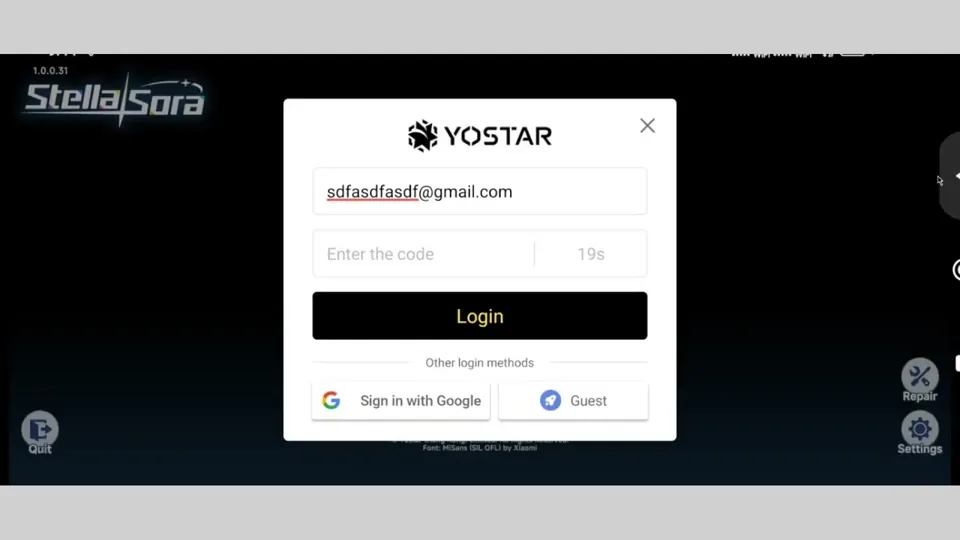
Use the matching recovery branch
Official routes back to the existing account
Scroll the table sideways on a narrow screen.
| How you played before | What to check | Next Steam sign-in |
|---|---|---|
| Read the Email field inside the original account’s User Center. | Enter that address, complete verification and log in. | |
| Google or Apple | Read the third-party account shown at the top of User Center. | Use the Google or Apple icon and authenticate the same third-party account. |
| Guest | Stay on the original device with its guest progress. | Link that game account to email, Google or Apple first; then select that linked method on Steam. |
The official account-switch route is Menu → Settings → Account → User Center → Go → Switch Account → Confirm, then Log in to another account on the login screen. Use it to select the intended method; this is a sign-out route, not a progress-reset procedure.
If the correct method still does not show your progress
Contact the game’s support team from the login screen via Support → Contact Us, or in-game via Menu → Support → Contact Us. The official contact email is stellasora.cs@yo-star.com.
- Explain which client and server held the old save and which method you selected on Steam.
- If the original device is still accessible, use its displayed account details to identify the intended save. Describe the mismatch without posting verification codes or passwords publicly.
- If you only used an unbound guest and no longer have access to it, ask support what identification they can accept. The FAQ’s guest-binding procedure requires access to the original account; it does not promise recovery without it.
Once you find the save, the cross-save guide explains the linked-email route for another client.
Sources & scope
These notes organize the sources below. Creator observations belong to their authors; this site has not performed the gameplay tests. A source check is separate from a game update or publication date.
Browse this guide category · All guides