
Stella Sora Global supports shared progress across Steam, Android, iOS and the official PC client when you use a login method linked to the same game account. Match the original sign-in method as well as the email address. Accounts from JP, KR, CN and TW do not transfer into Global Steam.
Official Global Steam FAQ dated October 18, 2026. It describes account interoperability; it does not mean the scheduled Steam client has already unlocked in every region.
Sources checked:
On this page
Cross-platform progress stays within Global
The Steam FAQ says Global content, events and updates are shared across its supported platforms. Cross-platform synchronization lets the same Global account continue on another client; it does not merge two different accounts or convert a JP, KR, CN or TW save into a Global save.
Steam adds Steam-account sign-in to the existing options. The Android, iOS and official PC clients do not directly accept Steam-account login, so a Steam-only player needs an additional supported method before leaving Steam.
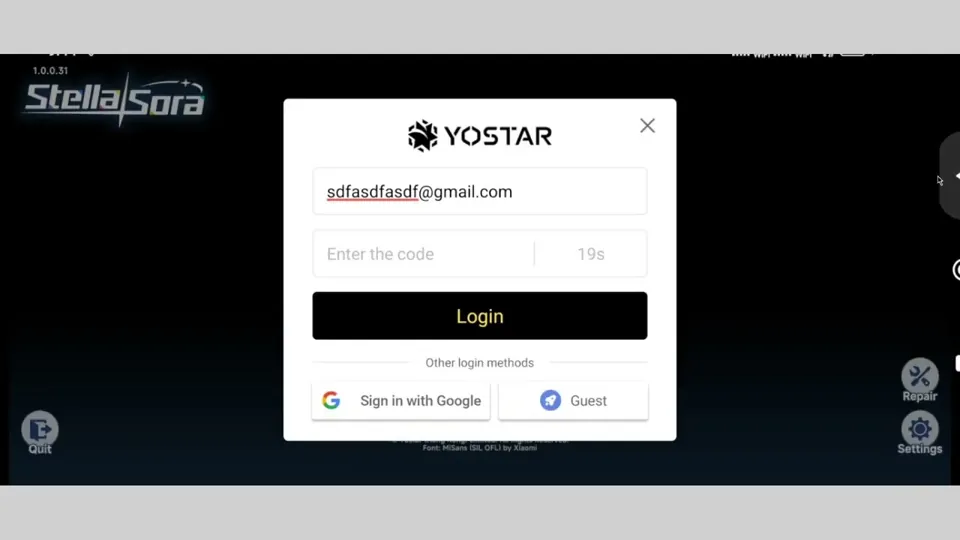
Identify the method on the device with your progress
On your usual device, open Menu → Settings → Account → User Center → Go. Use the branch matching your existing login:
Match the original account method
Scroll the table sideways on a narrow screen.
| Existing method | Check on the original device | Use on Steam |
|---|---|---|
| The Email field linked to this game data | Enter that address and complete email verification. | |
| Google or Apple | The third-party account displayed at the top of User Center | Choose the corresponding Google or Apple icon, then authenticate that account. |
| Guest | Keep the original device and guest save accessible | First link email, Google or Apple there; then use that linked method on Steam. |
Continue a Steam-created account on another client
- Open the intended account on Steam. Go to Menu → Settings → Account → User Center → Go.
- Choose Bind Email and link an email address to this game account.
- On Android, iOS or the official PC client, use that linked email address and its verification code to sign in.
- Check that the expected account and progress are present before abandoning access to the original client.
To manage the Steam binding itself, the FAQ gives User Center → Bind Other Accounts → Bind or Unbind beside Steam. Unbinding Steam is not required merely to locate an old save, and does not substitute for choosing the correct original login method.
If a fresh account appears instead, follow the Steam missing-progress branches.
Sources & scope
These notes organize the sources below. Creator observations belong to their authors; this site has not performed the gameplay tests. A source check is separate from a game update or publication date.
Browse this guide category · All guides